ADAPTIVE RESILIENCE INTELLIGENCE

Turn technology and cybersecurity evidence into clearer decisions and verified improvement.

Adaptive Resilience Intelligence (ARI) helps organizations with lean IT and security teams understand what matters, focus the right actions, keep ownership visible, and verify whether resilience is actually improving.

Microsoft logo consisting of four colored squares arranged in a 2x2 grid: red top-left, green top-right, blue bottom-left, and yellow bottom-right.
Microsoft-first.
Blue shield outline with a checkmark inside representing security or protection.
Evidence-driven.
Blue icon of two user profiles side by side, representing multiple users or a group.
Human-accountable.
Blue ascending bar chart with three vertical bars increasing in height from left to right and a line graph with an arrow pointing upward representing growth or progress.
Measurable improvement
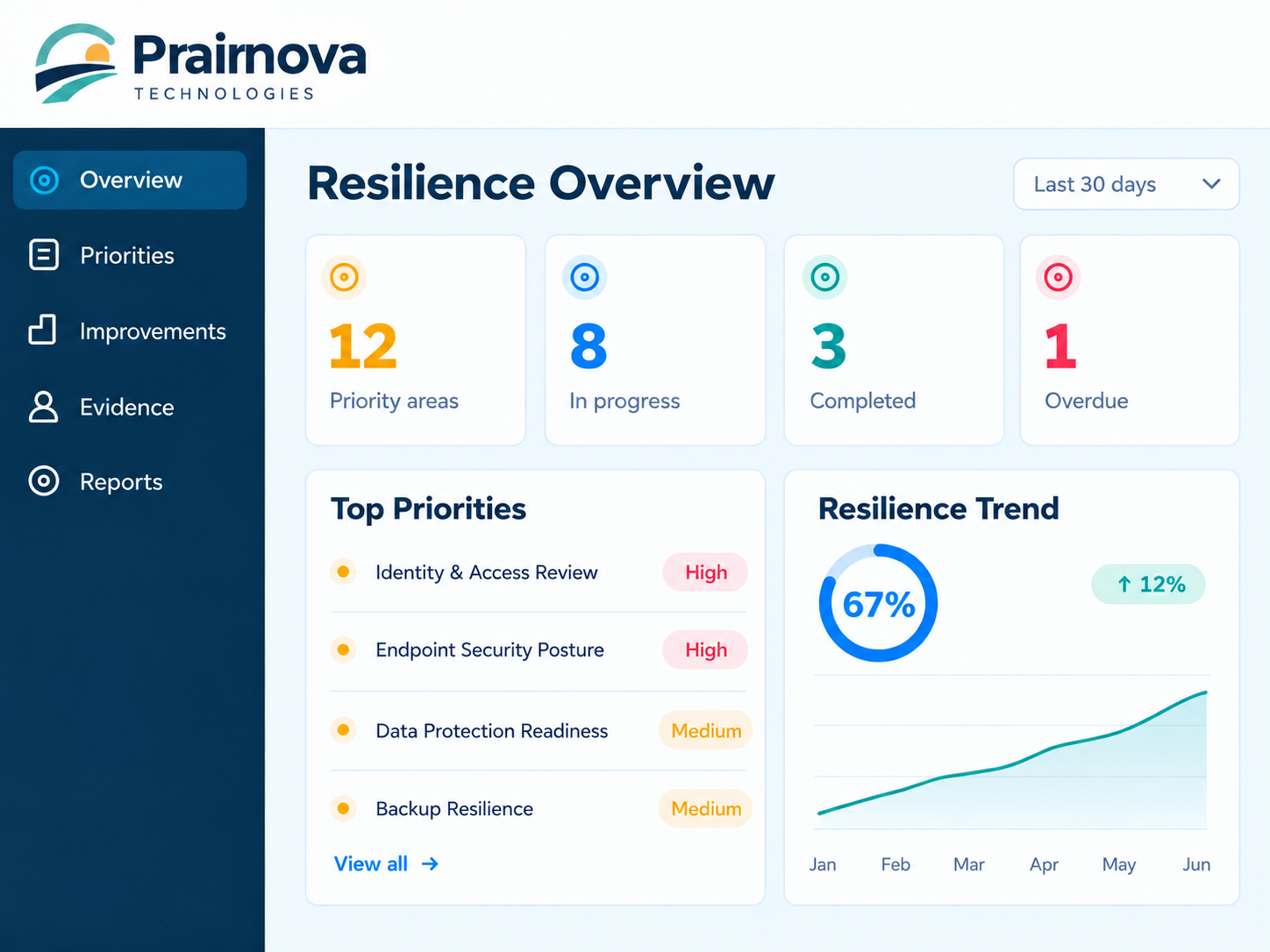
Prairnova Technologies Resilience Overview dashboard showing 12 priority areas, 8 in progress, 3 completed, and 1 overdue in the last 30 days. Top priorities include high-risk Identity & Access Review and Endpoint Security Posture, medium-risk Data Protection Readiness and Backup Resilience. Resilience trend shows 67% with a 12% increase from January to June.
FROM INFORMATION TO IMPACT

Most organizations already have information. The challenge is turning it into better decisions.

Security platforms, assessments and technology systems generate enormous amounts of useful information. The harder questions are what matters most, what to do next, who owns it, and whether resilience is actually improving.

Fragmented information
Blue shield outline with a checkmark inside representing security or protection.
Security findings
Blue gear or cogwheel icon with eight teeth and a circular hole in the center.
Technology recommendations
Blue document icon with a folded top-right corner and three horizontal lines representing text.
Assessments and audits
Blue icon of two user profiles side by side, representing multiple users or a group.
Policies and compliance data
Blue database icon showing a stack of cylindrical disks representing data storage.
Operational information
Clearer decisions
Blue check mark inside a blue circle.
Focused priorities
Blue check mark inside a blue circle.
Accountable action
Blue check mark inside a blue circle.
Visible progress
Blue check mark inside a blue circle.
Meaningful improvement

A structured path from evidence to verified improvement.

ARI connects trusted evidence with your organizational context, helping you understand what matters, prioritize the right actions, and verify whether resilience is actually improving.

Blue database icon showing a stack of cylindrical disks representing data storage.
01
Connect
Bring together relevant evidence from the technology you already use.
Start with a stronger information foundation.
Blue icon of a light bulb with a circular outline and filament inside.
Understand
Place information in organizational context.
02
Clearer understanding.
Blue ascending bar chart with three vertical bars increasing in height from left to right and a line graph with an arrow pointing upward representing growth or progress.
Prioritize
Focus on the areas that matter most.
03
More deliberate focus.
Blue gear or cogwheel icon with eight teeth and a circular hole in the center.
Act
Turn priorities into accountable action.
04
Clearer ownership and progress.
Blue magnifying glass icon symbolizing search or zoom.
Verify
Review whether the action worked.
05
Evidence-backed progress.
Two blue curved arrows forming a circle, one pointing left and up, the other pointing right and down, symbolizing refresh or reload.
Improve
Build a continuously improving picture of resilience.
06
Ongoing improvement across the organization.
KNOW WHAT MATTERS

From insight to improvement. ARI helps you see the bigger picture.

ARI brings together relevant security and technology information, helps you focus on what matters, and keeps progress visible — all in a single platform designed for real-world organizations.

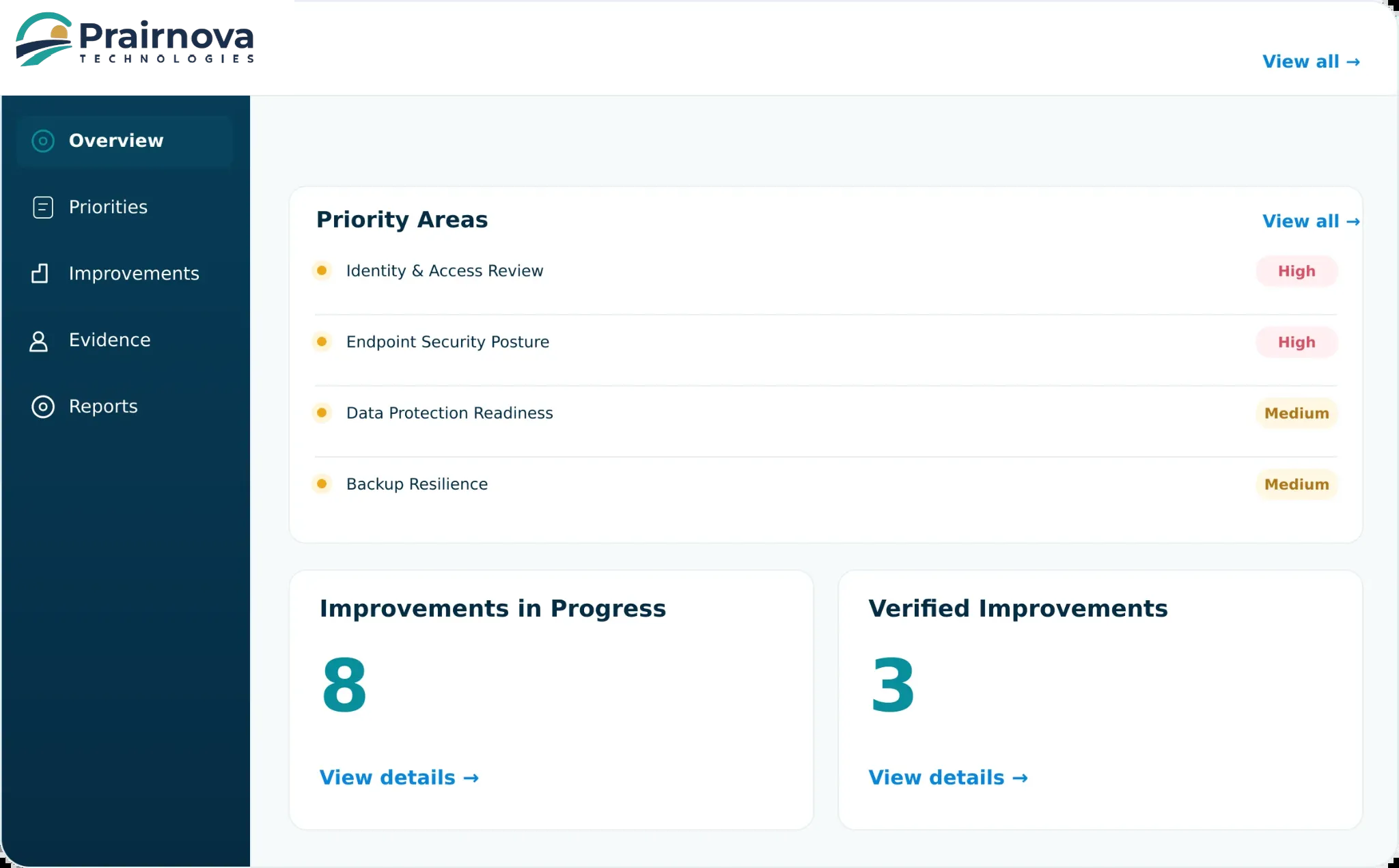
Dashboard interface from Prairnova Technologies showing priority areas with risk levels: Identity & Access Review and Endpoint Security Posture marked High; Data Protection Readiness and Backup Resilience marked Medium. Sections indicate 8 Improvements in Progress and 3 Verified Improvements with links to view details. Navigation menu on left includes Overview, Priorities, Improvements, Evidence, and Reports.
Blue target icon with an arrow hitting the center circle.
Material Priorities
See where attention may be needed most.
Blue document icon with a folded top-right corner and three horizontal lines representing text.
Evidence-Backed Decisions
Understand the information supporting an important priority.
Blue icon of two user profiles side by side, representing multiple users or a group.
Accountable Improvement
Connect action with ownership and intended outcomes.
Blue ascending bar chart with three vertical bars increasing in height from left to right and a line graph with an arrow pointing upward representing growth or progress.
Verified Progress
Review whether current evidence supports meaningful improvement.
Traditional Approach
More findings and alerts
Technical severity only
Generic recommendations
Siloed systems
Point-in-time view
With ARI
Clearer prioritization
Organizational relevance
Focused action
Connected evidence
Ongoing improvement
A DIFFERENT KIND OF RESILIENCE PLATFORM

The objective isn’t more alerts. It’s better decisions.

Microsoft logo consisting of four colored squares arranged in a 2x2 grid: red top-left, green top-right, blue bottom-left, and yellow bottom-right.
Microsoft-First
Many organizations already operate within Microsoft. ARI is designed to work with your existing technology environment.
Microsoft Cloud
Simplified blue line icon of a brain viewed from above, showing symmetrical left and right hemispheres with inner folds.
Human-Accountable AI
AI can help organize and interpret information, but people within your organization make the decisions and remain accountable.
Explore Security & Trust
BUILT FOR HOW YOU ALREADY WORK

Microsoft-first. Practical. Human-accountable.

ARI is designed to work with the Microsoft ecosystem you already use, with clear boundaries, responsible AI, and people who remain accountable for decisions.

OPTIONAL SUPPORT WHERE IT HELPS

Software first. Expert support when you need it.

ARI provides the software, and Prairnova can also provide managed resilience intelligence or specialist support where additional help creates more value.

Blue gear or cogwheel icon with eight teeth and a circular hole in the center.
Managed Resilience Intelligence
Ongoing expert support to help maintain focus and progress.
Explore Managed Resilience Intelligence
Blue icon of two user profiles side by side, representing multiple users or a group.
Specialist Solutions
Targeted support for security, Microsoft, AI and technology advisory.
Explore Solutions

Bring us a real problem worth solving.

Let’s explore whether ARI is the right fit for your organization and how it can help you make clearer decisions, focus action and demonstrate meaningful improvement.

White check mark inside a white circle.
Practical technology
White check mark inside a white circle.
Clearer decisions
White check mark inside a white circle.
Stronger organizations
White check mark inside a white circle.
Built in Saskatchewan